February 2026 - Operations Log
Complete operations log for February 2026. This document compiles all daily worklogs into a single comprehensive record.
1. Month Overview
1.1. Strategic Priorities
-
Sentinel Migration - QRadar to Microsoft Sentinel (PRIORITY #1)
-
Linux Workstation Deployments - EAP-TLS authentication
-
iPSK Deployment - IoT/BYOD onboarding
-
MSCHAPv2 Deprecation - Migration to EAP-TLS/EAP-TEAP
-
Certifications - LPIC-1, DevNet, CISSP roadmap
1.2. Key Dates
| Date | Event | Status |
|---|---|---|
Feb 1 |
PKI Migration (HOME-ROOT-CA → DOMUS-ROOT-CA) |
Complete |
Feb 2 |
Docs-as-Code Strategy Discussion with Derek Pizzagoni |
Complete |
Feb 3 |
iPSK runbook + HA diagrams + 290 GWN MAC import |
Complete |
Feb 7 |
Pentest Report Due |
Pending |
1.3. Active Project Runbooks
-
CHLA Linux Workstation Runbook (working doc - validate here first)
-
CHLA Linux Antora Site (update after validation)
-
CHLA iPSK Manager Runbook (HA deployment - phased rollout)
3. Infrastructure Automation & Security Platform Engineering Tasks
3.1. Executive Summary
This document outlines immediate and long-term infrastructure automation tasks following recent designation as Automation Platform Security Engineer. Priorities include 802.1X authentication migration, PKI infrastructure modernization, mobile device configuration, and comprehensive documentation updates.
Critical Context: One month of Linux experience, transitioning from Windows-centric workflows to terminal-native automation.
3.1.1. Upcoming: CISO Strategy Session
|
Meeting with Derek Pizzagoni (Former CISO)
Demo Focus Areas:
|
3.2. Documentation Projects
3.2.3. Active Projects
ISE 802.1X Projects
| Project | Description | Status |
|---|---|---|
domus-ise-linux |
home enterprise ISE 802.1X Linux deployment |
Active |
|
ISE Operations and configuration |
Active |
domus-identity-ops |
ISE SAML/SSO integration |
Active |
iPSK Projects
| Project | Description | Status |
|---|---|---|
domus-ise-linux |
iPSK Manager for IoT devices (home) |
Active |
|
iPSK Manager for IoT devices (work) |
Separate environment |
SIEM Projects
| Project | Description | Status |
|---|---|---|
Microsoft Sentinel KQL |
Microsoft Sentinel architecture & KQL |
Active |
IBM QRadar AQL |
IBM QRadar architecture & AQL |
Active |
SIEM Operations |
SIEM operations runbooks |
Active |
Infrastructure Projects
| Project | Description | Status |
|---|---|---|
domus-netapi-docs |
Network automation CLI (ISE, FTD, DNAC) |
Active Dev |
domus-infra-ops |
Infrastructure operations runbooks |
Active |
Vault PKI |
Vault PKI for home enterprise certificates |
Active |
Backup & Recovery |
Disaster recovery & backup documentation |
Active |
domus-secrets-ops |
Credential management architecture |
Active |
Standards & Templates
| Project | Description | Status |
|---|---|---|
Docs as Code Reference |
Antora template & standards - base structure for all documentation projects |
Template |
Reference & Tools
| Project | Description | Status |
|---|---|---|
domus-linux-ops |
Linux command mastery, tools, and automation |
Active |
Network Analysis |
tcpdump, Wireshark, netcat, network enumeration |
Active |
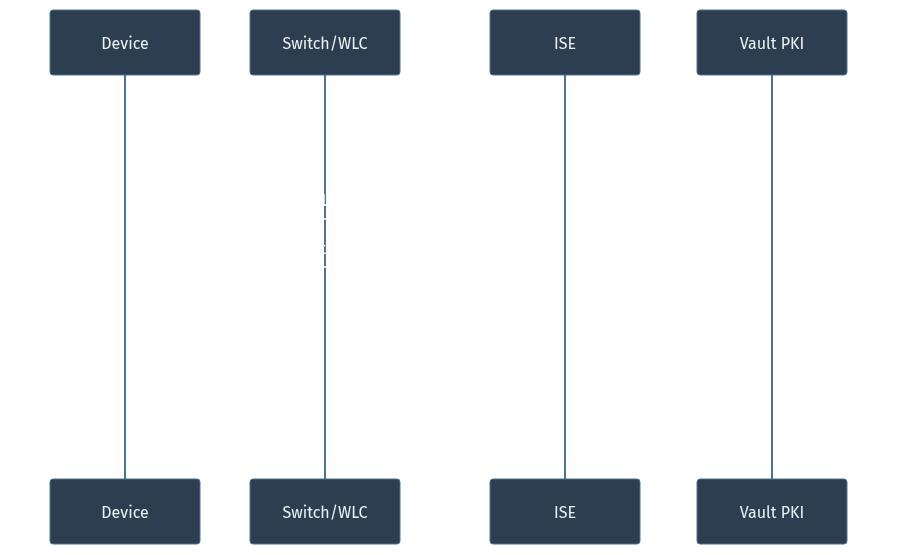
3.2.4. Authentication Flow
3.3. Section 1: Foundation & Skills Development
3.3.1. Unix Philosophy & Command-Line Mastery
-
Command composition using pipes, redirection, and filters
-
Stream editing with
sed,awk, and text processing -
vi/vim/nvim proficiency (motions, macros, registers, visual mode)
-
Shell scripting fundamentals (bash/zsh best practices)
ORIGINAL: "don't want to get distracted but i need to know how to
incorporate the best automation workflows possible and from time to
time i will be typing out the commands myself"

PROFESSIONAL: "I require guidance on automation workflow best practices
with hands-on command execution to build muscle memory. Please provide
examples I can execute directly rather than abstractions."
3.3.2. sed Command Reference
| Editor | Syntax | Notes |
|---|---|---|
Neovim |
|
Interactive with confirmation |
sed (preview) |
|
Non-destructive preview |
sed (in-place) |
|
Direct file modification |
# Preview changes before applying
sed -n 's/synology-nfs/nas-01/gp' netapi/cli/ise.py

# Show diff-style preview
sed 's/synology-nfs/nas-01/g' netapi/cli/ise.py | diff netapi/cli/ise.py -

# Apply changes in-place
sed -i 's/synology-nfs/nas-01/g' netapi/cli/ise.py
sed -i 's/synology-nfs/nas-01/g' netapi/vendors/cisco/ise/backup_client.py
3.4. Section 2: Immediate Tasks (Today)
3.4.1. ISE Backup Validation
Repository: nas-01 (NFS)
Server: 10.50.1.70:/volume1/ise_backups
Name: pre-ise01-restore
Status: ✓ Backup completed# Update repository references in netapi
grep -n "synology-nfs" netapi/cli/ise.py netapi/vendors/cisco/ise/backup_client.py
sed -i 's/synology-nfs/nas-01/g' netapi/cli/ise.py
sed -i 's/synology-nfs/nas-01/g' netapi/vendors/cisco/ise/backup_client.py
# Verify backup integrity
netapi ise list-backups --repo nas-01
# Test restore on ISE-02
# Power on ise-01, restore ise-02 config to test cert binding bug3.4.2. Mobile Workflow Configuration (Z Fold 7)
|
Status: COMPLETED
|
| See Z Fold 7 Mobile Workflow Setup for complete setup documentation. |
rsync -avz --progress \
  --exclude='.git' \
  --exclude='node_modules' \
  --exclude='build' \
  --exclude='*.pdf' \
  --exclude='*.docx' \
~/atelier fold7:~/To: Infrastructure Team
Subject: Mobile Device Setup for On-Call Operations
I need to configure SSH access and development tooling on my Samsung Z Fold 7 for mobile infrastructure management. This will enable:
-
Secure SSH access to critical infrastructure
-
Git repository synchronization for runbooks
-
Emergency response capabilities while remote
Request: Please validate that ADB connectivity is permitted on corporate network for initial device provisioning.
# 1. Verify ADB connectivity
adb devices -l

# 2. Push all SSH keys to phone
mkdir -p /tmp/ssh-push
cp ~/.ssh/id_ed25519_* ~/.ssh/config /tmp/ssh-push/
adb push /tmp/ssh-push/ /sdcard/Download/ssh-keys/

# 3. Forward SSH port
adb forward tcp:8022 tcp:8022# Install core packages
pkg update && pkg upgrade -y
pkg install openssh git neovim tmux
# Copy SSH keys from sdcard
mkdir -p ~/.ssh
cp /sdcard/Download/ssh-keys/* ~/.ssh/
chmod 700 ~/.ssh
chmod 600 ~/.ssh/id_ed25519_*
chmod 644 ~/.ssh/*.pub
chmod 600 ~/.ssh/config
# Set password and start SSH daemon
passwd
sshd # Default port: 8022ssh -p 8022 localhost3.5. Section 3: Work Projects (CHLA)
3.5.1. Urgent Deliverables
PM Meeting: QRadar to Sentinel Migration Analysis
To: Project Manager
Subject: QRadar Log Source Inventory - Sentinel Migration Planning
Background: Preparing migration report for QRadar to Microsoft Sentinel transition.
Deliverable: Log source inventory and ISE data analysis including:
-
Complete log source inventory with event volumes
-
ISE-specific event categories and types
-
Daily ingestion rates for Sentinel cost estimation
-
Authentication event breakdown (success/failure)
Timeline: Analysis completed before scheduled meeting.
Access Required: QRadar console with AQL query permissions.
|
AQL Queries for Migration Report
Run these queries in QRadar Console: Log Activity > Advanced Search |
SELECT
    logsourcename(logsourceid) AS "Log Source",
    logsourcetypename(devicetype) AS "Type",
    COUNT(*) AS "Event Count (24h)"
FROM events
WHERE INOFFENSE = FALSE
GROUP BY logsourceid, devicetype
ORDER BY "Event Count (24h)" DESC
LAST 24 HOURSSELECT
logsourcename(logsourceid) AS "ISE Log Source",
devicetype AS "Device Type ID",
COUNT(*) AS "Events"
FROM events
WHERE logsourcetypename(devicetype) ILIKE '%ISE%'
OR logsourcename(logsourceid) ILIKE '%ISE%'
GROUP BY logsourceid, devicetype
LAST 7 DAYSSELECT
categoryname(category) AS "Category",
COUNT(*) AS "Count",
MIN(starttime) AS "First Seen",
MAX(starttime) AS "Last Seen"
FROM events
WHERE logsourcename(logsourceid) ILIKE '%ISE%'
GROUP BY category
ORDER BY "Count" DESC
LAST 7 DAYSSELECT
qidname(qid) AS "Event Name",
COUNT(*) AS "Count"
FROM events
WHERE logsourcename(logsourceid) ILIKE '%ISE%'
GROUP BY qid
ORDER BY "Count" DESC
LIMIT 50
LAST 7 DAYSSELECT
logsourcename(logsourceid) AS "Log Source",
DATEFORMAT(starttime, 'yyyy-MM-dd') AS "Date",
COUNT(*) AS "Daily Events"
FROM events
WHERE INOFFENSE = FALSE
GROUP BY logsourceid, DATEFORMAT(starttime, 'yyyy-MM-dd')
ORDER BY "Daily Events" DESC
LAST 30 DAYSSELECT
qidname(qid) AS "Event",
COUNT(*) AS "Count"
FROM events
WHERE logsourcename(logsourceid) ILIKE '%ISE%'
AND (qidname(qid) ILIKE '%authentication%'
OR qidname(qid) ILIKE '%failed%'
OR qidname(qid) ILIKE '%success%')
GROUP BY qid
ORDER BY "Count" DESC
LAST 7 DAYSSELECT
logsourcename(logsourceid) AS "Log Source",
SUM(eventcount) AS "Total Events",
ROUND(SUM(eventcount) / 7, 0) AS "Avg Daily"
FROM events
WHERE INOFFENSE = FALSE
GROUP BY logsourceid
ORDER BY "Total Events" DESC
LIMIT 20
LAST 7 DAYS|
For Sentinel Cost Estimation:
|
Azure Legacy Migration
To: Migration Team
Subject: Request for Azure Migration Meeting Transcript
Purpose: Post-meeting analysis and action item extraction.
Request: Please provide meeting transcript or recording from the Azure legacy migration discussion for comprehensive review and technical planning.
Use Case: Extract specific technical requirements, timelines, and dependencies for migration runbook development.
3.5.2. Security Remediation: Mandiant Audit Findings
|
Findings Summary
Google/Mandiant audit identified critical vulnerabilities in wired 802.1X closed-mode port configuration:
|
To: Information Security Team
Subject: Mandiant Audit Remediation Plan - Wired 802.1X
Finding: Wired 802.1X closed-mode ports permit SMB and Kerberos traffic prior to authentication, enabling unauthorized network access.
Impact: High - Attackers can acquire IP addresses and enumerate domain services before credential validation.
Proposed Remediation:
-
Implement strict pre-authentication ACLs (deny all except DHCP, DNS, 802.1X)
-
Disable SMB on authentication VLANs
-
Implement DACL-based port access control
-
Deploy endpoint posture validation
Documentation: Detailed write-up available in 03_Captures/mandiant-remediation.adoc
Timeline: 2-week implementation window, 4-week validation period.
3.5.3. 802.1X Authentication Migration (CRITICAL)
|
Migration Scope
Primary Objective: Migrate all network authentication from MSCHAPv2 to certificate-based methods.
|
To: Network Engineering & Information Security
Subject: 802.1X Authentication Protocol Migration - MSCHAPv2 Deprecation
Business Driver: MSCHAPv2 is cryptographically weak and vulnerable to offline dictionary attacks. Migration to certificate-based authentication provides:
-
Mutual authentication (client and server validation)
-
Elimination of credential theft risk
-
Compliance with NIST 800-53 IA-5 requirements
Technical Approach:
-
Phase 1: Deploy PKI infrastructure (Vault-based)
-
Phase 2: SCEP/EST enrollment automation via MDM
-
Phase 3: Network policy updates (EAP-TLS/EAP-TEAP)
-
Phase 4: Legacy protocol deprecation
Dependencies:
-
PKI infrastructure (Vault) - In Progress
-
MDM enrollment system - Pending
-
Certificate auto-renewal workflow - Design phase
-
Network switch/WLC configuration updates
Risks:
-
Device enrollment failures during transition
-
Certificate expiration without auto-renewal
-
Legacy device incompatibility
Request: Approval to proceed with pilot deployment on test VLAN.
Task: Migrate Aireos AirSpace ACLs to DACLs
Reason: 9800 WLC upgrade requires DACL format
Impact: All wireless policy enforcement rules
3.5.4. Team Collaboration Tasks
Device Identity Group Management (Arin)
To: Arin
Subject: Automated ISE Identity Group Migration
Background: Devices require migration to appropriate ISE identity groups for proper policy enforcement.
Solution: I’ve developed netapi automation to streamline this process.
Next Steps:
-
Provide device list (CSV format: MAC, desired group)
-
Review automated script for approval
-
Execute during maintenance window
Benefits:
-
Eliminates manual ISE GUI operations
-
Provides audit trail of changes
-
Reduces human error
Timeline: Ready to execute upon device list receipt.
Lab Equipment Tracking
To: Lab Operations
Subject: Label Printer Asset Location Request
Purpose: Lab device labeling for asset management.
Request: Please confirm current location of lab label printer (model/serial if available).
Use Case: Asset tagging for inventory reconciliation project.
3.6. Section 4: Home Enterprise Infrastructure
3.6.1. PKI Migration: AD CS to HashiCorp Vault
| Domain | Purpose | Integration |
|---|---|---|
|
Internal infrastructure certificates |
Vault PKI engine |
|
External guest network certificates |
Let’s Encrypt automation |
1. Vault PKI root CA establishment
2. Intermediate CA issuance
3. SCEP/EST endpoint configuration
4. 90-day auto-renewal automation
5. AD CS decommissioning
3.6.2. iPSK Manager Deployment
Home Enterprise Configuration
-
Status: Functional, requires HA clustering
-
Missing: Redundancy, failover testing
CHLA Configuration
Subject: iPSK Manager Production Deployment Requirements
Current State: iPSK Manager functional in lab environment.
Production Requirements:
-
HTTPS with valid certificates (Vault-issued)
-
Firewall rule implementation
-
High-availability clustering
-
Documented runbook matching PRJ-ISE-LINUX-CHLA-ANTORA format
Request: Architecture review meeting to finalize HA design.
3.6.3. MDM Integration: ManageEngine
-
Platform: ManageEngine MDM Plus (free tier: 25 devices)
-
Integration: SCEP/EST certificate enrollment
-
Automation: Auto-push WiFi profiles with embedded certificates
3.6.4. Credential Management: 1Password to gopass Migration
Overview
Migrating from 1Password to gopass for:
-
Local-first credential storage (no cloud dependency)
-
GPG/age encryption (aligns with existing secrets infrastructure)
-
CLI-native workflow (terminal-first approach)
-
YAML/JSON structured secrets (programmatic access)
-
Git-based sync (version control, audit trail)
Installation (Arch Linux)
# Core package
sudo pacman -S gopass

# Optional integrations
sudo pacman -S gopass-jsonapi        # Browser extension support
sudo pacman -S git-credential-gopass # Git credential helper
sudo pacman -S gopass-hibp           # Have I Been Pwned integration

# Verify existing store works (backwards compatible with pass)
gopass ls
gopass vs pass Feature Comparison
| Feature | pass | gopass |
|---|---|---|
Multiple stores |
No |
Yes ( |
Team sharing |
Manual |
Built-in |
YAML/JSON secrets |
No |
Yes (structured data) |
Fuzzy search |
No |
Yes |
Auto git sync |
No |
Yes ( |
Password audit |
No |
Yes ( |
TOTP/OTP |
Plugin |
Built-in |
Browser integration |
Plugin |
Native (jsonapi) |
YAML Secret Structure
gopass supports structured YAML secrets for 1Password compatibility:
password: actual-password-here
---
username: evan.rosado@domusdigitalis.dev
email: evan.rosado@domusdigitalis.dev
url: https://service.example.com
notes: |
  Recovery codes stored in ARCANA/recovery/
  MFA enabled: Yes
  Created: 2026-02-01
totp: otpauth://totp/Service:evan?secret=BASE32SECRET&issuer=Service
tags:
  - personal
  - critical
created: 2026-02-01
modified: 2026-02-01
1Password Export and Import
# Option 1: CSV export (basic)
# 1Password > Settings > Export > CSV format

# Option 2: 1PUX export (recommended - preserves structure)
# 1Password > Settings > Export > 1Password Unencrypted Export (.1pux)# CSV import
gopass convert --from=1password /path/to/1password-export.csv
# 1PUX import (richer data)
gopass convert --from=1pux /path/to/export.1puxEssential gopass Commands
| Command | Purpose |
|---|---|
|
List all entries |
|
Show password only (first line) |
|
Show specific YAML field |
|
Output as JSON |
|
Copy password to clipboard |
|
Copy TOTP code to clipboard |
|
Edit entry in $EDITOR |
|
Generate 32-char password |
|
Check for weak/duplicate passwords |
|
Git push/pull all stores |
Configuration
# Enable auto git sync
gopass config autosync true

# Set clipboard clear timeout (seconds)
gopass config cliptimeout 45

# Enable notifications
gopass config notifications true

# Audit existing passwords
gopass audit
Integration with Existing Infrastructure
| System | Purpose | Use Case |
|---|---|---|
gopass |
Personal credentials (logins, API keys) |
Interactive CLI, browser autofill |
dsec |
Infrastructure secrets (ISE, network devices) |
Automation scripts, netapi |
Vault |
PKI certificates, dynamic secrets |
Certificate issuance, short-lived credentials |
Migration Checklist
-
Install gopass and verify existing store
-
Export 1Password vaults (1PUX format)
-
Import to gopass with structure preservation
-
Verify YAML fields imported correctly
-
Enable autosync for git-based backup
-
Run
gopass auditfor password hygiene -
Configure browser extension (optional)
-
Delete 1Password export files securely
3.7. Section 5: API Development (netapi)
3.7.1. High Priority Integrations
Platform: Firepower FTD/FMC
Reason: No automation currently exists for security policy deployment
Impact: Manual firewall rule changes increase risk and deployment timePlatform: DNA Center (Catalyst Center)
Integration: Device provisioning, configuration templates, assurance
Status: API access confirmed, development pending3.7.2. Medium Priority Integrations
-
Infoblox: Admin access confirmed, API testing pending
-
Prime Infrastructure: Legacy platform, API documentation required
-
Additional ISE APIs: Posture, profiling, guest services
3.8. Section 6: SIEM & Security Operations
3.8.1. Microsoft Sentinel Integration
To: Security Operations Center
Subject: Sentinel Integration - KQL Query Development Request
Objective: Maximize Sentinel SIEM value through custom query development for:
-
Network visibility dashboards
-
Threat detection and enumeration
-
Automated incident response
-
Asset inventory and anomaly detection
Request: SOC collaboration to identify high-value detection use cases and review KQL query syntax best practices.
Deliverable: Custom query library aligned with CHLA threat model.
3.9. Section 7: Documentation Standardization
3.9.1. Migration: Markdown to AsciiDoc
-
Superior table formatting
-
Cross-referencing capabilities
-
Technical documentation standard (Antora, O’Reilly)
-
Better tooling for large documentation projects
-
PRJ-ISE-HOME-LINUX-ANTORA: dot1x flow, posture diagrams -
PRJ-ISE-CHLA-LINUX-ANTORA: dot1x flow, posture diagrams -
All runbooks converted to
.adocformat -
Maintain
.mdfor GitHub README files only
3.10. Section 8: Master Task List
3.10.1. Priority 1: Immediate (Today)
| Task | Owner | Status |
|---|---|---|
Z Fold 7 SSH configuration |
Evan |
Pending |
Move all devices to EAP-TLS |
Evan |
In Progress |
ISE-01 power on and restore test |
Evan |
Pending |
netapi repository update (nas-01) |
Evan |
Ready |
AQL query analysis for PM meeting |
Evan |
Scheduled |
3.10.2. Priority 2: This Week
| Task | Owner | Dependencies |
|---|---|---|
Vault PKI migration (inside.domusdigitalis.dev) |
Evan |
Backup validation complete |
Mandiant remediation implementation |
Evan |
ISec approval |
Arin device migration (netapi) |
Evan |
Device list from Arin |
Azure migration transcript review |
Evan |
Transcript delivery |
FTD/FMC API development |
Evan |
API documentation |
3.10.3. Priority 3: This Month
-
Vault PKI external guest (guest.domusdigitalis.dev)
-
ManageEngine MDM deployment
-
PRJ-ISE-HOME-LINUX-ANTORA completion
-
PRJ-ISE-CHLA-LINUX-ANTORA completion
-
iPSK HA clustering (home and work)
-
Catalyst Center API integration
-
Infoblox API testing
-
Sentinel KQL query development
3.10.4. Priority 4: Long-term
-
Windows EAP-TEAP rollout
-
Prime Infrastructure API integration
-
Full infrastructure backup automation
-
Markdown to AsciiDoc migration
-
Lab label printer procurement
3.11. Appendix A: Professional Communication Templates
3.11.1. Template: Technical Assistance Request
To: [Recipient]
Subject: [Concise description of need]

Background: [1-2 sentences of context]

Request: [Specific, actionable ask]

Use Case: [Why this is needed]

Timeline: [When response is needed]

Dependencies: [What's blocking or required]
3.11.2. Template: Security Remediation
To: [Security Team]
Subject: [Finding] - Remediation Plan

Finding: [Specific vulnerability]

Impact: [Risk level and business impact]

Proposed Remediation:
1. [Action item]
2. [Action item]

Documentation: [Reference to detailed write-up]

Timeline: [Implementation schedule]
3.12. Appendix B: Command Reference
3.12.1. sed Pattern Replacement
# Preview changes (non-destructive)
sed -n 's/pattern/replacement/gp' file.txt

# Diff-style preview
sed 's/pattern/replacement/g' file.txt | diff file.txt -

# In-place modification
sed -i 's/pattern/replacement/g' file.txt

# Multiple files
sed -i 's/pattern/replacement/g' file1.txt file2.txt file3.txt
3.12.2. ADB Mobile Device Setup
# Verify device connection
adb devices

# Push files to device
adb push ~/.ssh/config /sdcard/Download/

# Pull files from device
adb pull /sdcard/Download/backup.tar.gz ~/backups/

# Interactive shell
adb shell
3.12.3. rsync Over SSH
# Sync local to remote
rsync -avz --progress ~/source/ remote:~/destination/

# Sync remote to local
rsync -avz --progress remote:~/source/ ~/destination/

# Dry run (preview changes)
rsync -avz --dry-run ~/source/ remote:~/destination/
3.13. Appendix C: Build System Enhancements (2026-02-01)
3.13.1. Overview
Enhanced 03_Captures/build.sh with professional documentation features for long-term PKMS use.
3.13.2. Features Implemented
| Feature | Description |
|---|---|
Syntax Highlighting |
Rouge with monokai.sublime dark theme, inline CSS (no external stylesheet) |
Copy Button |
Hover-to-reveal copy button on all code blocks, with language label |
d2 Diagrams |
Declarative diagrams as external PNG files (no inline SVG) |
Mermaid Diagrams |
Sequence/flow diagrams as external PNG files |
3.13.3. Usage
# Build HTML with all features
./build.sh document.adoc html

# Build all formats (html, pdf, docx)
./build.sh document.adoc

# Watch mode (auto-rebuild on save)
./build.sh document.adoc --watch
3.13.4. Diagram Syntax
[d2,diagram-name,png]
....
direction: right
a -> b: connection
b -> c: flow
....[mermaid,diagram-name,png]
....
sequenceDiagram
A->>B: Request
B-->>A: Response
....3.13.5. Files Modified
-
03_Captures/build.sh- Added rouge, asciidoctor-diagram, docinfo support -
03_Captures/docinfo-footer.html- Copy button JS/CSS with language labels
3.13.6. Dependencies
# Ruby gems
gem install asciidoctor asciidoctor-pdf asciidoctor-diagram rouge

# Diagram tools
# d2: https://d2lang.com/tour/install
npm install -g @mermaid-js/mermaid-cli
3.14. Appendix D: 802.1X EAP-TLS Troubleshooting (2026-02-01)
3.14.1. Issue Summary
After RAM upgrade, unable to authenticate to wired 802.1X network. Authentication hangs with no errors visible initially.
3.14.2. Root Cause
PKI migration from HOME-ROOT-CA to DOMUS-ROOT-CA was completed on ISE, but the Linux client’s NetworkManager connection profile still referenced the old CA certificate file.
3.14.4. Symptoms
TLS: Certificate verification failed, error 19 (self-signed certificate in certificate chain)
depth 2 for '/C=US/O=Domus Digitalis/OU=Enterprise PKI/CN=DOMUS-ROOT-CA'
err='self-signed certificate in certificate chain'
SSL: SSL3 alert: write (local SSL3 detected an error):fatal:unknown CA
OpenSSL: openssl_handshake - SSL_connect error:0A000086:SSL routines::certificate verify failed
3.14.5. Diagnostic Commands
# View certificate paths in connection profile
nmcli connection show <connection-name> | grep -E "client-cert|private-key|ca-cert"

# List all connections and their types
nmcli connection show

# Check device status
nmcli device status# Check certificate validity and subject
openssl x509 -in /etc/ssl/certs/DOMUS-ROOT-CA.pem -noout -dates -subject
# Verify cert/key match (modulus should be identical)
openssl x509 -noout -modulus -in /etc/ssl/certs/client.pem | md5sum
openssl rsa -noout -modulus -in /etc/ssl/private/client.key | md5sum
# Get certificate fingerprint (compare with ISE log)
openssl x509 -in /etc/ssl/certs/DOMUS-ROOT-CA.pem -noout -fingerprint -sha256# Watch authentication in real-time (run in separate terminal)
journalctl -f -u NetworkManager -u wpa_supplicant | grep -E "enp130s0|EAP|TLS|cert|802"
# Then trigger connection
nmcli connection up Wired-802.1X3.14.6. Resolution
# Check current CA (showed old CA)
nmcli connection show Wired-802.1X | grep "802-1x.ca-cert"
# Output: 802-1x.ca-cert: /etc/ssl/certs/HOME-ROOT-CA.pem

# Update to new CA
sudo nmcli connection modify Wired-802.1X 802-1x.ca-cert /etc/ssl/certs/DOMUS-ROOT-CA.pem

# Reconnect
nmcli connection up Wired-802.1XCTRL-EVENT-EAP-SUCCESS EAP authentication completed successfully
CTRL-EVENT-CONNECTED - Connection to 01:80:c2:00:00:03 completed
device (enp130s0): Activation: successful, device activated.
dhcp4 (enp130s0): state changed new lease, address=10.50.10.1303.14.7. Wireless 802.1X EAP-TLS Troubleshooting
Issue
WiFi 802.1X connection profile Domus-Secure-802.1X failed with "Secrets were required, but not provided" even though certificate-based auth requires no password.
Resolution: Recreate Connection Profile
When NetworkManager WiFi 802.1X profiles become corrupted (prompting for secrets when none are needed), delete and recreate with explicit flags.
journalctl -f -u NetworkManager -u wpa_supplicant | grep -E "wlan0|EAP|TLS|cert|802"# Capture identity before deleting
IDENTITY=$(nmcli -g 802-1x.identity connection show Domus-Secure-802.1X)
# Delete corrupted connection
nmcli connection delete Domus-Secure-802.1X
# Recreate with all flags (prevents GUI password prompts)
sudo nmcli connection add \
type wifi \
con-name "Domus-Secure-802.1X" \
ssid "Domus-Secure" \
wifi-sec.key-mgmt wpa-eap \
802-1x.eap tls \
802-1x.identity "$IDENTITY" \
802-1x.ca-cert /etc/ssl/certs/DOMUS-ROOT-CA.pem \
802-1x.client-cert /etc/ssl/certs/modestus-razer-eaptls.pem \
802-1x.private-key /etc/ssl/private/modestus-razer-eaptls.key \
802-1x.private-key-password-flags 4 \
802-1x.ca-cert-password-flags 4
# Connect
nmcli connection up Domus-Secure-802.1X| Flag | Value | Meaning |
|---|---|---|
|
|
Not required (no passphrase prompt) |
|
|
Not required (CA cert not password-protected) |
Successful WiFi EAP-TLS Log
Config: added 'key_mgmt' value 'WPA-EAP FT-EAP FT-EAP-SHA384 WPA-EAP-SHA256'
Config: added 'eap' value 'TLS'
Config: added 'ca_cert' value '/etc/ssl/certs/DOMUS-ROOT-CA.pem'
Config: added 'client_cert' value '/etc/ssl/certs/modestus-razer-eaptls.pem'
supplicant interface state: disconnected -> scanning
SME: Trying to authenticate with 78:bc:1a:36:82:cb (SSID='Domus-Secure' freq=5540 MHz)
supplicant interface state: scanning -> authenticating -> associating -> associated
CTRL-EVENT-EAP-STARTED EAP authentication started
CTRL-EVENT-EAP-METHOD EAP vendor 0 method 13 (TLS) selected
CTRL-EVENT-EAP-PEER-CERT depth=2 subject='CN=DOMUS-ROOT-CA'
CTRL-EVENT-EAP-PEER-CERT depth=1 subject='CN=DOMUS-ISSUING-CA'
CTRL-EVENT-EAP-PEER-CERT depth=0 subject='CN=ise-02.inside.domusdigitalis.dev'
CTRL-EVENT-EAP-SUCCESS EAP authentication completed successfully
WPA: Key negotiation completed with 78:bc:1a:36:82:cb [PTK=CCMP GTK=CCMP]
CTRL-EVENT-CONNECTED - Connection to 78:bc:1a:36:82:cb completed
dhcp4 (wlan0): state changed new lease, address=10.50.10.103
Activation: successful, device activated.disconnected -> scanning -> authenticating -> associating -> associated -> completed3.14.8. Key Lessons
|
Wired 802.1X:
Wireless 802.1X:
|
3.14.9. Connection Profile Reference
| Setting | Value |
|---|---|
Connection Name |
|
Interface |
|
CA Certificate |
|
Client Certificate |
|
Private Key |
|
EAP Method |
TLS (method 13) |
| Setting | Value |
|---|---|
Connection Name |
|
SSID |
|
Security |
|
EAP Method |
TLS (method 13) |
Identity |
|
CA Certificate |
|
Client Certificate |
|
Private Key |
|
private-key-password-flags |
|
ca-cert-password-flags |
|
3.14.10. Switch Verification
LAB-3560CX-01#show access-session int g1/0/5 d
            Interface:  GigabitEthernet1/0/5
          MAC Address:  98bb.1e1f.a713
         IPv6 Address:  Unknown
         IPv4 Address:  10.50.10.130
            User-Name:  modestus-razer.inside.domusdigitalis.dev
               Status:  Authorized
               Domain:  DATA
       Oper host mode:  multi-auth
     Oper control dir:  in
      Session timeout:  N/A
      Restart timeout:  N/A
Periodic Acct timeout:  N/A
       Session Uptime:  685s
    Common Session ID:  0A32010A0000064ADF9BCFD8
      Acct Session ID:  0x000005BD
               Handle:  0xD90001C3
       Current Policy:  PMAP_DefaultWiredDot1xClosedAuth_1X_MAB

Local Policies:

Server Policies:
           Vlan Group:  Vlan: 10
      Security Policy:  None
      Security Status:  Link Unsecure
              ACS ACL:  xACSACLx-IP-LINUX_EAPTLS_PERMIT_ALL-69680320

Method status list:
      Method            State
      dot1x              Authc Success
mab Stopped-
Status: Authorized- Port authorized for network access -
dot1x: Authc Success- EAP-TLS authentication completed -
ACS ACL: LINUX_EAPTLS_PERMIT_ALL- ISE pushed the correct DACL -
Vlan Group: Vlan: 10- Assigned to correct data VLAN -
IPv4 Address: 10.50.10.130- DHCP lease obtained
3.15. Appendix E: PKI Migration - Gabriel’s Workstation (modestus-p50)
3.15.1. Issue Summary
Gabriel’s workstation (modestus-p50) unable to connect to 802.1X network after PKI migration from HOME-ROOT-CA to DOMUS-ROOT-CA. NetworkManager service was also failing to start.
3.15.2. Multiple Issues Discovered
Issue 1: NetworkManager.conf Corrupted
NetworkManager.service: Failed with result 'exit-code'
Failed to read configuration: Key file contains line "nmcli connection down Domus-Secure && nmcli connection up Domus-Secure"Shell command was accidentally written to /etc/NetworkManager/NetworkManager.conf instead of being executed.
# Restore valid config
sudo tee /etc/NetworkManager/NetworkManager.conf << 'EOF'
[main]
plugins=keyfile

[keyfile]
unmanaged-devices=none
EOF

# Reset and start
sudo systemctl reset-failed NetworkManager
sudo systemctl start NetworkManager
Issue 2: No Network Connectivity (Temp Workaround)
With NetworkManager down, used manual DHCP and temporary non-802.1X switch port.
interface GigabitEthernet1/0/1
no source template DefaultWiredDot1xClosedAuthsudo ip link set enp0s31f6 up
sudo dhcpcd enp0s31f6Issue 3: CA Certificate Mismatch
Client configured to trust old CA.
nmcli connection show Domus-Secure | grep "802-1x.ca-cert"
# Output: 802-1x.ca-cert: /etc/ssl/certs/HOME-ROOT-CA.pem# Get CA from Vault
ssh certmgr-01 "vault read -field=certificate pki/cert/ca" > /tmp/DOMUS-ROOT-CA.crt
# Deploy to client
scp /tmp/DOMUS-ROOT-CA.crt gabriel@10.50.10.107:/tmp/
ssh gabriel@10.50.10.107
sudo cp /tmp/DOMUS-ROOT-CA.crt /etc/ssl/certs/DOMUS-ROOT-CA.pem
sudo chmod 644 /etc/ssl/certs/DOMUS-ROOT-CA.pem
# Update connection
sudo nmcli connection modify Domus-Secure 802-1x.ca-cert /etc/ssl/certs/DOMUS-ROOT-CA.pemIssue 4: Client Certificate from Old PKI
Gabriel’s client cert was still signed by HOME-ROOT-CA, not compatible with new PKI.
openssl x509 -in /etc/ssl/certs/modestus-p50-eaptls.pem -noout -issuer -subject
# issuer=DC=dev, DC=domusdigitalis, DC=inside, CN=HOME-ROOT-CA
# subject=O=Domus Digitalis, OU=Endpoints, CN=modestus-p50.inside.domusdigitalis.dev# On certmgr-01
vault operator unseal # x3 with unseal keys
vault login
# List roles
vault list pki_int/roles
# domus-byod, domus-client, domus-server, domus-windows-machine, domus-windows-user
# Issue client cert
vault write -format=json pki_int/issue/domus-client \
common_name="modestus-p50.inside.domusdigitalis.dev" \
ttl="8760h" > /tmp/modestus-p50.json
# Extract components
jq -r '.data.certificate' /tmp/modestus-p50.json > /tmp/modestus-p50-eaptls.pem
jq -r '.data.private_key' /tmp/modestus-p50.json > /tmp/modestus-p50-eaptls.key
# Verify new cert
openssl x509 -in /tmp/modestus-p50-eaptls.pem -noout -subject -issuer
# subject=CN=modestus-p50.inside.domusdigitalis.dev
# issuer=CN=DOMUS-ISSUING-CA# From workstation
scp certmgr-01:/tmp/modestus-p50-eaptls.pem /tmp/
scp certmgr-01:/tmp/modestus-p50-eaptls.key /tmp/
scp /tmp/modestus-p50-eaptls.* gabriel@10.50.10.107:/tmp/
# On Gabriel's machine
sudo cp /tmp/modestus-p50-eaptls.pem /etc/ssl/certs/
sudo cp /tmp/modestus-p50-eaptls.key /etc/ssl/private/
sudo chmod 644 /etc/ssl/certs/modestus-p50-eaptls.pem
sudo chmod 600 /etc/ssl/private/modestus-p50-eaptls.key
# Connect
nmcli connection up Domus-Secure3.15.3. Key Lessons from Gabriel’s Case
|
3.15.4. Certificate Paths (modestus-p50)
| Component | Path |
|---|---|
CA Certificate |
|
Client Certificate |
|
Private Key |
|
Issuer |
|
3.15.5. Final Resolution: Wired and WiFi Connectivity
WiFi 802.1X (Domus-Secure)
CTRL-EVENT-EAP-SUCCESS EAP authentication completed successfully
WPA: Key negotiation completed with 78:bc:1a:36:82:cb [PTK=CCMP GTK=CCMP]
device (wlan0): Activation: successful, device activated.
Wired 802.1X with MAB Fallback
Due to time constraints, wired 802.1X was verified via MAB (MAC Authentication Bypass) while certificate-based authentication is configured. Switch session shows successful authorization.
LAB-3560CX-01#show access-session interface GigabitEthernet1/0/1 details
            Interface:  GigabitEthernet1/0/1
          MAC Address:  c85b.76c6.5962
         IPv4 Address:  10.50.40.100
            User-Name:  C8-5B-76-C6-59-62
               Status:  Authorized
               Domain:  DATA
       Current Policy:  PMAP_DefaultWiredDot1xClosedAuth_1X_MAB

Server Policies:
           Vlan Group:  Vlan: 40
              ACS ACL:  xACSACLx-IP-RESEARCH_ONBOARD_DACL-6967c0fb

Method status list:
      Method            State
      dot1x              Stopped
      mab                Authc Success
Switch Port Restoration
After troubleshooting, restored IBNS 2.0 template to temporary access port.
# Verify current interface configuration
netapi ios exec "show running-config interface GigabitEthernet1/0/1"

# Restore IBNS 2.0 template
netapi ios config \
  "interface GigabitEthernet1/0/1" \
  "description [DOT1X] User Access Port" \
  "ip arp inspection trust" \
  "source template DefaultWiredDot1xClosedAuth" \
  "spanning-tree portfast edge" \
  --save

# Verify template applied
netapi ios exec "show derived-config interface GigabitEthernet1/0/1"
3.15.6. Summary: PKI Migration Completed
| Workstation | Status | Notes |
|---|---|---|
modestus-razer (primary) |
Complete |
Wired + WiFi EAP-TLS working |
modestus-p50 (Gabriel) |
Complete |
WiFi EAP-TLS working, Wired via MAB (cert deployment pending) |
| Common Name | Issuer | TTL |
|---|---|---|
modestus-razer.inside.domusdigitalis.dev |
DOMUS-ISSUING-CA |
8760h (1 year) |
modestus-p50.inside.domusdigitalis.dev |
DOMUS-ISSUING-CA |
8760h (1 year) |
Document Status: Complete
Session Duration: Full day (early AM to late evening)
Next Review: 2026-02-08
4. Daily Worklog
4.1. Overview
Date: 2026-02-02 (Monday)
Location: Remote
Focus: Sentinel migration planning, Linux workstation, iPSK, MSCHAPv2, certifications, Monday prep
Strategic Priorities:
-
Sentinel migration from QRadar (PRIORITY #1)
-
Dr. Shahab Linux workstation completion (PRIORITY #2)
-
iPSK deployment planning (PRIORITY #3)
-
MSCHAPv2 → EAP-TLS migration
-
Certification roadmap (CISSP, DevNet, LPIC-1)
4.2. Session: Security Tools Learning Roadmap Finalization
|
Planning Session: Monday, February 3, 2026 This roadmap defines Q1/Q2 2026 learning objectives for critical security platforms. Budget approval required: $5,000 |
4.2.1. Context
Preparing comprehensive learning roadmap for Monday, February 3, 2026 planning session. This roadmap documents security tools and platforms requiring hands-on learning and operational integration for Q1/Q2 2026.
4.2.2. Work Completed
1. Security Tools & Platforms Roadmap Created
File: PLAN-2026-02-security-tools-learning-roadmap.adoc
Tools Documented:
|
Threat Intelligence & Analysis (4 platforms):
|
|
Extended Detection & Response (XDR):
|
|
SIEM MIGRATION (CRITICAL PRIORITY #1): Microsoft Sentinel (Target SIEM) - Microsoft Sentinel Migration from IBM QRadar SIEM (Legacy - migrating from)
This is the #1 priority for Monday - Sentinel migration is the strategic direction. IBM QRadar SIEM (Legacy - migrating from) Legacy Knowledge: * Maintain operational knowledge during transition (80-120 hours (legacy knowledge)) * Document existing rules and workflows for Sentinel migration * Support legacy system until cutover complete |
2. Implementation Phases Defined
Phase 1 (30 days - February 2026):
-
QRadar foundation and access
-
AbuseIPDB/VirusTotal API integration
-
First 10 offenses investigated
Phase 2 (90 days - March-April 2026):
-
QRadar custom rules (5+ deployed)
-
URLScan.io phishing workflows
-
Defender XDR evaluation
Phase 3 (180 days - May-July 2026):
-
XDR POC deployment
-
SOAR playbooks (3+ automated responses)
-
Advanced threat hunting
3. Success Metrics Established
| Metric | Current State (Jan 2026) | Target State (Q2 2026) |
|---|---|---|
Threat Intelligence Lookups/Week |
~10 (manual, ad-hoc) |
>50 (automated, integrated) |
QRadar Independent Investigations |
0 (100% vendor-dependent) |
10+ per week (fully independent) |
SIEM Custom Rules Created |
0 |
≥10 rules (CHLA-specific) |
Mean Time to Investigate (MTTI) |
2-4 hours |
<30 minutes |
Incident Response Time |
Baseline |
30% reduction |
4. Training Budget Estimated
|
Q1/Q2 2026 Training Costs:
Total Budget: $5,000 ROI Justification:
|
5. Document Properties
-
Lines: ~700 (comprehensive planning doc)
-
Status: All tools marked NOT STARTED
-
Ready for: Monday, February 3, 2026 planning session
-
Output formats: HTML, PDF, DOCX generated via build.sh
4.2.3. Key Priorities for Monday
|
Monday Feb 3 Strategic Priorities (in order):
These priorities align with CHLA strategic direction - cloud-native security, zero-trust architecture, professional development. |
Immediate Actions (Week of Feb 3-7)
|
Week 1 Deliverables - Must Complete: Sentinel Migration (PRIORITY #1): * [ ] Monday: Research Microsoft Sentinel workspace setup and pricing * [ ] Monday: Document IBM QRadar SIEM (Legacy - migrating from) → Microsoft Sentinel (Target SIEM) migration requirements * [ ] Tuesday: KQL query language foundation (Microsoft Learn modules) * [ ] Wednesday-Thursday: Sentinel POC lab deployment (Azure trial) * [ ] Friday: Executive briefing document draft (cost-benefit, timeline, risks) Linux Workstation (PRIORITY #2): * [ ] Monday: Resolve Microsoft Defender for Endpoint connectivity issue (Dr. Shahab) * [ ] Tuesday: EAP-TLS migration testing (MAB → certificate auth) * [ ] Wednesday: User acceptance testing with Dr. Shahab iPSK Deployment (PRIORITY #3): * [ ] Monday: iPSK architecture research (Cisco ISE 3.2 capabilities) * [ ] Tuesday: Use case documentation (IoT, BYOD, guests) These are gate items for Phase 1 success. Blockers must be escalated immediately. |
Sentinel Migration Requirements
|
Microsoft Sentinel Migration Planning: Current State: * SIEM: IBM QRadar SIEM (Legacy - migrating from) (legacy, on-premises) * Limitations: Vendor dependency, limited cloud integration, aging platform * Annual cost: TBD (licensing + maintenance + vendor support) Target State: * SIEM: Microsoft Sentinel (Target SIEM) (cloud-native, Azure-integrated) * Benefits: - Native integration with Microsoft Defender for Endpoint for Endpoint, Cloud, Identity - KQL query language (industry-standard, same as Defender XDR) - AI/ML threat detection (UEBA, anomaly detection) - Elastic scaling (pay-per-GB ingestion) - Reduced vendor dependency (in-house management) Phase 1 Requirements (Feb 2026): * [ ] Azure subscription with Sentinel workspace * [ ] KQL training (Microsoft Learn paths: 20-30 hours) * [ ] Migration assessment tool (QRadar → Sentinel rule mapping) * [ ] POC environment (trial workspace, sample log ingestion) * [ ] Cost modeling (ingest GB/day, retention, analytics rules) Migration Timeline (Proposed): * Feb 2026: Research, POC, executive briefing * Mar 2026: Sentinel workspace deployment, pilot log sources * Apr-May 2026: Rule migration, dashboard recreation * Jun 2026: Parallel operation (QRadar + Sentinel) * Jul 2026: Cutover to Sentinel primary, QRadar decommission Business Justification: * Cloud-first strategy - Aligns with Microsoft 365, Azure, Defender stack * Cost reduction - Elastic pricing vs fixed licensing * Faster incident response - Native XDR integration (no API latency) * Compliance - HIPAA, HITRUST log retention and audit trails * Future-proof - Microsoft investing heavily in Sentinel (not QRadar) |
iPSK Deployment Planning (PRIORITY #3)
|
Identity PSK (iPSK) for CHLA: Use Cases: * IoT devices - Lab equipment, medical devices, building automation (no 802.1X support) * BYOD onboarding - Secure guest/contractor access without certificates * Legacy devices - Equipment that cannot be upgraded to 802.1X Current Status: 0% (not started) ISE 3.2 Capabilities: * Per-user or per-device PSK assignment * Dynamic VLAN assignment based on identity * Integration with Active Directory for user-based iPSK * Self-service portal for PSK retrieval * PSK rotation policies (30/60/90 day expiration) Week 1 Research Tasks: * [ ] Review Cisco ISE 3.2 iPSK configuration guide * [ ] Document CHLA use cases (IoT inventory, BYOD policy) * [ ] Design iPSK architecture (VLANs, SSIDs, authorization policies) * [ ] Identify pilot devices for testing * [ ] Estimate deployment timeline and resources |
MSCHAPv2 Migration Planning
|
MSCHAPv2 Vulnerability Remediation: Current Risk: MSCHAPv2 on CHLA-Corporate SSID susceptible to credential harvesting (identified in pentest) Migration Strategy: * Primary path: EAP-TLS (certificate-based, most secure) * Fallback path: EAP-TEAP (Protected EAP, for clients that don’t support EAP-TLS) Status: 0% (planning phase) Client Assessment Needed: * [ ] Inventory all wireless clients (laptops, tablets, phones) * [ ] Test EAP-TLS support (Windows 10/11, macOS, iOS, Android versions) * [ ] Identify non-EAP-TLS clients (legacy devices, IoT) * [ ] Document EAP-TEAP configuration for fallback clients Migration Phases: * Phase 1 (Feb-Mar): Client inventory and EAP-TLS compatibility testing * Phase 2 (Apr): Certificate enrollment automation (ADCS + SCEP/Intune) * Phase 3 (May): Pilot EAP-TLS with IT department (20-30 devices) * Phase 4 (Jun-Jul): Organization-wide EAP-TLS rollout * Phase 5 (Aug): Disable MSCHAPv2 on CHLA-Corporate SSID (security hardening) Critical Success Factors: * Certificate template design (machine + user certs) * Automated enrollment (Intune for managed devices, SCEP for BYOD) * User communication plan (change management) * Help desk training (EAP-TLS troubleshooting) * Rollback plan (if critical business disruption) |
Certification Roadmap
|
Professional Development - 2026 Goals: CISSP (Certified Information Systems Security Professional) * Value: Industry-standard security certification, CISO career path * Cost: $749 exam + $699/year membership * Prep time: 120-160 hours study * Timeline: Exam Q4 2026 (Oct-Dec) * Study plan: Official Study Guide + practice exams + Bootcamp (optional) * Experience requirement: 5 years security work (already met) Cisco Certified DevNet Associate * Value: Network automation, Python, APIs, DevOps for NetOps * Cost: $300 exam * Prep time: 80-100 hours study * Timeline: Exam Q2 2026 (Apr-Jun) * Study plan: Cisco DevNet Learning Labs + Python scripting practice * Relevance: ISE automation (netapi skills), network programmability LPIC-1 (Linux Professional Institute Certification) * Value: Linux systems administration, validates PRJ-ISE-CHLA-LINUX (PRIORITY #2 for Monday) skills * Cost: $200 per exam (2 exams required) * Prep time: 40-60 hours study * Timeline: Exams Q1 2026 (Feb-Mar) - EARLIEST TARGET * Study plan: Linux Academy + hands-on lab (home enterprise servers) * Relevance: Linux workstation deployment, RHEL/Ubuntu server management Recommended Order: 1. LPIC-1 (Linux Professional Institute Certification) (Q1 2026) - Quickest win, validates current Linux work 2. Cisco Certified DevNet Associate (Q2 2026) - Aligns with netapi development, ISE automation 3. CISSP (Certified Information Systems Security Professional) (Q4 2026) - Long-term goal, requires 120+ hours prep Total Investment: $749 + $300 + $400 + $699/year = ~$2,150 (exams) + $699/year (CISSP membership) Budget Request: Include in $5,000 for Monday planning session |
Tool Account Setup Checklist
-
AbuseIPDB: Create account, obtain API key (FREE tier)
-
VirusTotal: Create account, obtain API key (FREE tier: 500/day)
-
URLScan.io: Create account, obtain API key (FREE tier)
-
Cisco Talos: Subscribe to Intelligence Blog (daily reading)
-
Microsoft Sentinel: Azure trial account for POC workspace
4.2.4. Learning Resources Prepared
Sentinel Training Path (PRIORITY #1)
-
Week 1: Microsoft Learn - Sentinel fundamentals (SC-200 modules)
-
Week 2: KQL query language (Kusto Query Language) - 15-20 hours
-
Week 3: Sentinel POC deployment (Azure trial workspace)
-
Week 4: Log ingestion architecture (connectors, data collection rules)
-
Month 2-3: Analytics rules migration (QRadar → Sentinel)
-
Month 4: Microsoft SC-200 certification (optional - Security Operations Analyst)
Key Microsoft Learn Paths: * SC-200: Microsoft Security Operations Analyst (40+ hours) * KQL for Security Analysts (10 hours) * Sentinel Workshop (hands-on labs, 8 hours)
QRadar Legacy Knowledge (Maintenance)
Limited scope - Understanding existing deployment during migration: 1. Week 1: Shadow CHLA QRadar admin (1-2 sessions) 2. Week 2-3: Document existing rules and dashboards (migration inventory) 3. Week 4: AQL basics (for troubleshooting during parallel operation)
Goal: Maintain operational knowledge, not become QRadar expert
Python Scripts to Develop
Priority automation scripts:
-
abuseipdb-bulk-lookup.py- Bulk IP reputation checks -
virustotal-hash-lookup.py- Automated malware hash analysis -
qradar-api-query.py- QRadar API automation (offense investigation) -
threat-intel-dashboard.py- Unified threat intel view (all sources)
4.2.5. Risks & Mitigations
| Risk | Impact | Mitigation |
|---|---|---|
Limited QRadar Access |
Cannot complete learning phases |
Escalate to CISO with business justification |
Operational Incidents Delay Training |
Learning roadmap deprioritized |
Block dedicated learning time (Fridays 1-3 PM) |
Budget Constraints |
Cannot evaluate paid tools |
Maximize free tiers first, build ROI case |
QRadar Admin Unavailable |
Limited mentorship |
IBM training resources, user forums, Udemy |
4.2.6. Week of Feb 3-7: Consolidated Task List
CRITICAL Priority (Must Complete This Week)
1. Sentinel Migration (PRIORITY #1): * [ ] Monday: Research Microsoft Sentinel workspace setup and pricing model * [ ] Monday: Create Azure trial account for Sentinel POC * [ ] Monday: Document QRadar → Sentinel migration requirements and timeline * [ ] Tuesday: Microsoft Learn - Sentinel fundamentals (SC-200 Module 1-2) * [ ] Wednesday: KQL query language foundation (4-6 hours) * [ ] Thursday-Friday: Sentinel POC workspace deployment and first log connectors
2. Dr. Shahab Linux Workstation (PRIORITY #2): * [ ] Monday: Resolve Microsoft Defender for Endpoint connectivity issue - Contact IT/Desktop Support - Validate agent installation and health - Test posture policy enforcement - Document troubleshooting in runbook * [ ] Tuesday: EAP-TLS migration testing (MAB → certificate auth) * [ ] Wednesday: User acceptance testing with Dr. Shahab * [ ] Thursday: Knowledge transfer documentation for Desktop Support
3. iPSK Deployment Planning (PRIORITY #3): * [ ] Monday: Review Cisco ISE 3.2 iPSK configuration guide * [ ] Tuesday: Document CHLA use cases (IoT, BYOD, guests) * [ ] Wednesday: Design iPSK architecture (VLANs, SSIDs, authz policies)
HIGH Priority (Target This Week)
Certification Planning: * [ ] Register for LPIC-1 exam (target: late February) * [ ] Order LPIC-1 study materials (Linux Academy subscription) * [ ] Create certification study schedule (LPIC-1 → DevNet → CISSP)
MSCHAPv2 Migration: * [ ] Inventory wireless client devices (IT asset management database) * [ ] Research EAP-TLS support matrix (Windows/macOS/iOS/Android versions) * [ ] Document EAP-TEAP fallback configuration for legacy clients
Security Tools Setup: * [ ] Create AbuseIPDB account and obtain API key * [ ] Create VirusTotal account and obtain API key (FREE tier: 500/day) * [ ] Create URLScan.io account and obtain API key * [ ] Subscribe to Cisco Talos Intelligence Blog (daily reading)
MEDIUM Priority (If Time Permits)
-
Shadow CHLA QRadar admin (1-2 hour session)
-
Document existing QRadar rules for migration inventory
-
Update HOME runbook with netapi validation methods
-
Python script: abuseipdb-bulk-lookup.py (skeleton)
-
Python script: virustotal-hash-lookup.py (skeleton)
-
Python script: sentinel-kql-query.py (skeleton)
DEFERRED (Post-Feb 7)
-
Review pentest formal report (due Feb 7)
-
Prioritize pentest remediation roadmap
-
Create change requests for critical findings
-
Posture redirect ACL remediation planning
4.2.7. Next Steps
Before Monday Planning Session
-
✓ Security tools roadmap document completed
-
✓ Implementation phases defined
-
✓ Success metrics established
-
✓ Training budget updated ($$5,000)
-
✓ Sentinel migration priorities documented
-
✓ iPSK, MSCHAPv2, certification roadmaps added
-
PENDING Prepare Sentinel migration executive briefing
-
PENDING Research Azure Sentinel pricing calculator
Monday Session Agenda (Feb 3)
Duration: 90 minutes
-
Strategic Priorities Review (30 min)
-
PRIORITY #1: Sentinel migration from QRadar (cloud-first strategy)
-
PRIORITY #2: Dr. Shahab Linux workstation completion
-
PRIORITY #3: iPSK deployment planning (IoT/BYOD)
-
MSCHAPv2 → EAP-TLS migration (pentest remediation)
-
Certification roadmap (LPIC-1, DevNet, CISSP)
-
-
Budget Approval (20 min)
-
Training & certifications: $5,000
-
Sentinel POC: Azure trial (FREE for 30 days)
-
Tool accounts: FREE tiers (AbuseIPDB, VT, URLScan, Talos)
-
LPIC-1 exam: $200 per exam (2 exams required)
-
Cisco DevNet: $300 exam
-
CISSP: $749 exam + $699/year membership
-
-
Resource Allocation (20 min)
-
Dedicated learning time: Fridays 1-4 PM (12 hours/week)
-
Sentinel POC: Azure subscription approval
-
QRadar access: Shadow admin for migration inventory
-
Dr. Shahab: Defender connectivity troubleshooting with IT
-
-
Week 1 Deliverables Agreement (20 min)
-
Sentinel POC workspace deployed
-
KQL fundamentals complete (Microsoft Learn)
-
Dr. Shahab workstation completion (Defender issue resolved)
-
iPSK architecture document
-
Tool accounts created (4 platforms)
-
Week 1 Deliverables (Feb 3-7)
Sentinel Migration (PRIORITY #1): * [ ] Azure trial account created with Sentinel workspace * [ ] Microsoft Learn SC-200 Module 1-2 complete (Sentinel fundamentals) * [ ] KQL query language foundation (10+ queries practiced) * [ ] QRadar migration inventory documented (rules, dashboards, log sources) * [ ] Executive briefing draft (cost-benefit, timeline, risks)
Dr. Shahab Deployment (PRIORITY #2): * [ ] Defender connectivity issue resolved * [ ] EAP-TLS migration testing complete * [ ] User acceptance testing signed off
iPSK Planning (PRIORITY #3): * [ ] ISE 3.2 iPSK configuration guide reviewed * [ ] CHLA use cases documented (IoT, BYOD, guests) * [ ] iPSK architecture designed (VLANs, SSIDs, policies)
Supporting Tasks: * [ ] 4 tool accounts created (AbuseIPDB, VT, URLScan, Talos, Sentinel) * [ ] LPIC-1 exam registered (target: late February) * [ ] MSCHAPv2 client inventory initiated
4.3. Notes
4.3.1. Document Status
-
PLAN-2026-02-security-tools-learning-roadmap.adoc: COMPLETE
-
Location:
03_Captures/2026/02/ -
Follows PREFIX standard (
PLAN-for planning/roadmap) -
Output formats generated (HTML, PDF, DOCX)
-
Ready for Monday presentation
-
4.3.2. January Carryover Items
Active Tasks from WRKX-2026-01-30
From "Next Steps" section (Jan 30):
-
~~Complete Pat Levitt authentication investigation~~ - RESOLVED (IP misconfiguration)
-
✓ ~~Document findings and resolution~~ - COMPLETE (documented in Jan 30 capture)
-
Update HOME runbook with netapi validation methods - PENDING
-
Deferred until operational work complete
-
HOME runbook uses netapi (personal lab)
-
CHLA runbook uses ISE GUI (shareable)
-
-
Verify Dr. Shahab Asgharzadeh’s workstation Microsoft Defender for Endpoint connection status - BLOCKED
|
CRITICAL BLOCKER: Issue: Microsoft Defender for Endpoint reported "not connected" on Dr. Shahab Asgharzadeh’s workstation (MAC: b4:e9:b8:f6:c8:17) Impact: * Posture compliance cannot be validated * Deployment stuck at 90% complete * Cannot migrate from MAB to EAP-TLS until resolved Next Action: Contact IT/Desktop Support to troubleshoot agent connectivity Required for: User acceptance testing, production cutover |
Ongoing Projects (January → February)
Dr. Shahab Linux Workstation Deployment: * Status: IN PROGRESS (90% complete) * Completed: - MAB onboarding to Research_Onboard profile - LUKS full disk encryption - AD domain join (chla.usc.edu) - Machine certificate enrollment - 802.1X configuration (wpa_supplicant) * Pending: - [ ] Defender connectivity issue (CRITICAL - blocking posture validation) - [ ] EAP-TLS migration (MAB → certificate-based auth) - [ ] User acceptance testing (Dr. Shahab sign-off) - [ ] Knowledge transfer to Desktop Support
Pentest Findings Remediation: * Status: AWAITING REPORT
|
Timeline: Formal report expected February 7, 2026 Known Critical Findings: * ⚠️ Posture redirect ACL too permissive (Kerberos 88, SMB 445) * ⚠️ MSCHAPv2 on CHLA-Corporate SSID (credential harvesting risk) Next Actions (Post-February 7, 2026): * [ ] Review formal pentest report * [ ] Prioritize remediation roadmap with CISO * [ ] Create change requests for critical findings * [ ] Estimate remediation timeline and resources |
CHLA Runbook Maintenance: * Status: COMPLETE (Rev 3.0) * Achievements: - 53 AsciiDoc attributes for CI/CD sustainability - All netapi references removed (100% shareable with team) - Professional ISE GUI workflows documented * Next evolution: - Consider Antora site for team-wide access - Add screenshots for complex ISE workflows
4.3.3. Tools Already Available
No account needed:
-
QRadar (CHLA enterprise) - need access credentials only
-
Microsoft Defender for Endpoint - already deployed
-
ISE Live Logs - already have access
-
NetFlow (QRadar) - via SIEM access
Free tier accounts to create:
-
AbuseIPDB - unlimited lookups (rate-limited)
-
VirusTotal - 500 API requests/day
-
URLScan.io - 5,000 scans/month
-
Cisco Talos - blog subscription only
4.4. Session: Docs-as-Code Strategy Discussion with Derek Pizzagoni
4.4.1. Context
Phone call with Derek Pizzagoni regarding docs-as-code methodology and potential collaboration on security documentation projects. Demonstrated the documentation engineering system and discussed how it can be applied to InfoSec workflows.
4.4.2. Discussion Topics
1. Documentation Engineering Overview
Covered the core docs-as-code paradigm:
-
Version-controlled documentation using Git
-
AsciiDoc/Antora toolchain for multi-format output
-
Diagrams-as-code (D2, Mermaid)
-
Single source of truth with attributes
-
Modular composition via includes
-
Encryption for sensitive content (age)
2. Industry Adoption Evidence
Shared examples of organizations using docs-as-code:
-
Google, GitLab, Stripe, Microsoft, Spotify, AWS
-
Security-focused implementations: HashiCorp, Cisco DevNet, NIST OSCAL, CIS Benchmarks, MITRE ATT&CK
3. Collaboration Framework
Discussed potential collaboration models:
-
Shared private repository - Joint write access, PR-based workflow
-
Fork and contribute - Canonical repo with PR contributions
-
Template repository - Starter templates for customization
4. Terminal-Based Email (aerc)
Derek expressed interest in the terminal email workflow using aerc. Key points discussed:
-
aerc - Terminal email client (aerc-mail.org)
-
OAuth2 authentication for Gmail/Microsoft 365
-
Custom scripts for address book integration
-
Vim-like keybindings for efficient email handling
-
Integrates with the docs-as-code workflow (compose in terminal, version control drafts)
Project reference: PRJ-AERC (terminal email configuration)
5. Next Steps
-
Created comprehensive collaboration framework document
-
Will send Derek the PDF/HTML output for review
-
Potential to set up shared Git repository for joint documentation projects
-
Share aerc configuration resources if interested
4.4.3. Deliverables Created
File: DOC-2026-02-02-docs-as-code-collaboration.adoc
Outputs generated:
-
output/DOC-2026-02-02-docs-as-code-collaboration.html(56K) -
output/DOC-2026-02-02-docs-as-code-collaboration.pdf(175K) -
output/DOC-2026-02-02-docs-as-code-collaboration.docx(18K)
Purpose: Reference document for Derek explaining the docs-as-code methodology and collaboration framework for potential joint security documentation projects.
4.4.4. Key Value Propositions for Collaboration
| Benefit | Application |
|---|---|
Auditability |
Complete Git history of all documentation changes |
Peer Review |
PR-based workflow for technical accuracy |
Consistency |
Templates enforce standards across projects |
Automation |
CI/CD builds and publishes on commit |
Encryption |
Sensitive procedures protected at rest |
Portability |
Single source, multiple output formats (HTML, PDF, DOCX) |
4.5. Incident: ISE-01 Power-On Caused Network-Wide Outage
4.5.1. Timeline
| Time | Event |
|---|---|
~20:15 |
SSH to KVM host (supermicro300-9d1) at 192.168.1.185 via certmgr-01 jump host (10.50.1.60). Direct SSH from workstation blocked by legacy SSH algorithms on KVM host (ssh-rsa/ssh-dss only, no ed25519 host keys). |
~20:20 |
Enabled VM autostart for all critical VMs: ise-02, pfSense-FW01, home-dc01, 9800-CL-WLC, certmgr-01, ipsk-manager, keycloak-01. |
~20:22 |
Started ise-01 ( |
~20:23 |
NETWORK-WIDE OUTAGE - All 802.1X authentication failed. Wired and wireless connections dropped across all VLANs. |
~20:24 |
Force shutdown ise-01 ( |
~20:28 |
All VMs back online via autostart. Wired 802.1X (enp130s0) reconnected automatically. |
~20:34 |
WiFi (wlan0) required manual reconnection: |
4.5.2. Root Cause Analysis
ISE-01 has a stale configuration from before the PKI migration (HOME-ROOT-CA → DOMUS-ROOT-CA). When ISE-01 booted:
-
Switches and WLC have both ISE-01 (10.50.1.20) and ISE-02 (10.50.1.21) configured as RADIUS servers
-
ISE-01 started responding to RADIUS requests with old certificates and policies
-
Client authentication failed against ISE-01’s stale config
-
All devices on the network experienced authentication failures simultaneously
4.5.3. ISE Deployment State
| Node | IP | Role | Status |
|---|---|---|---|
ISE-02 |
10.50.1.21 |
Primary Admin Node (PAN) - ADMINISTRATOR |
Running - all services healthy |
ISE-01 |
10.50.1.20 |
Unknown role (stale config) |
Shut off - must not be started without isolation |
4.5.4. KVM Host State (supermicro300-9d1)
| Resource | Value |
|---|---|
Total RAM |
125 GB |
Used |
50 GB |
Available |
74 GB |
ISE-01 allocation |
16 GB RAM, 4 vCPUs |
ISE-02 allocation |
16 GB RAM, 4 vCPUs |
Running VMs |
7 (pfSense, 9800-WLC, ise-02, certmgr-01, home-dc01, ipsk-manager, keycloak-01) |
4.5.5. Required Actions Before Starting ISE-01 Again
|
DO NOT start ISE-01 until ALL of the following are completed: |
-
Remove ISE-01 from switch RADIUS config - Remove 10.50.1.20 from all
radius serverstatements on 3560CX-01 -
Remove ISE-01 from WLC RADIUS config - Remove 10.50.1.20 from 9800 WLC RADIUS server list
-
Check pfSense - Verify no RADIUS references to 10.50.1.20
-
Deregister ISE-01 from ISE-02 deployment - Administration → System → Deployment, remove ise-01 node
-
Optionally: Start ISE-01 with network disconnected -
virsh domiflist ise-01then detach NIC before starting -
Restore ISE-02 backup to ISE-01 once isolated
-
Update ISE-01 certs to DOMUS-ROOT-CA chain before reconnecting to network
4.5.6. WiFi Reconnection
WiFi profile Domus-Secure-802.1X did not auto-reconnect after the outage on any device. Required manual intervention on each.
Workstation (modestus-razer)
nmcli connection up Domus-Secure-802.1Xwlan0: state change: config -> ip-config
dhcp4 (wlan0): new lease, address=10.50.10.103
device (wlan0): Activation: successful, device activated.Son’s Workstation (P50 - Arch Linux)
Same issue - WiFi 802.1X did not auto-reconnect after the outage. Bringing the interface up manually resolved it.
nmcli connection up Domus-Secure-802.1XMobile Devices
Android - Samsung Z Fold 7 (SM_F966U1)
Problem: After ISE-01 outage, phone would not reconnect to Domus-Secure-802.1X. Certificates had been sideloaded previously (DOMUS-ROOT-CA, DOMUS-ISSUING-CA, zfold7-evanusmodestus.p12) but Android installs CA certs to the user trust store only — WiFi enterprise does not trust user-store CAs for server certificate validation.
ISE Auth Log (before fix):
12520 EAP-TLS failed SSL/TLS handshake because the client rejected the ISE local-certificateWorkaround Applied: Connected using "Do not validate" for CA certificate in the WiFi profile settings. This bypasses server certificate validation, allowing the EAP-TLS handshake to complete with the client certificate only.
netapi ise mnt session 9c:83:06:ce:89:46Session: 9c:83:06:ce:89:46 | Status: FAILED
Username: zfold7-evanusmodestus.byod.inside.domusdigitalis.dev
ISE Node: ise-02
Client IPv4: 10.50.10.100
NAD IP: 10.50.1.40
Port: capwap_90000005
Profiled As: Samsung-Device
"Do not validate" is a temporary workaround. This disables ISE server certificate verification, making the device vulnerable to rogue RADIUS attacks. The proper fix is to provision the device via the ISE BYOD portal flow so the CA chain is installed correctly for WiFi enterprise use. See: byod-certificate-management runbook in PRJ-INFRA-OPS-ANT.
|
Root Cause: Android (non-rooted) cannot install CA certificates to the system trust store via sideloading. Only MDM or the ISE BYOD portal enrollment flow can place CAs in the system store where WiFi enterprise trusts them.
Proper Fix (TODO):
-
Set up ISE BYOD portal provisioning flow
-
Device connects to provisioning SSID
-
ISE enrolls device cert via Vault PKI (SCEP) with full CA chain
-
WiFi profile pushed with proper CA trust anchor
-
Remove "Do not validate" workaround
Validation Test Plan (Home Enterprise):
Verify that the "Do not validate" workaround does not weaken client-side authentication, and that only the server certificate verification is bypassed:
-
Confirm client cert is still presented during EAP-TLS handshake (check ISE Live Logs for cert CN match)
-
Verify dACL and VLAN assignment matches expected policy for
zfold7-evanusmodestus -
Test connectivity scope — confirm device is restricted to the BYOD segment, not flat network access
-
Review ISE auth detail report: confirm
EAP-TLSmethod (not PEAP or open), cert issuer = DOMUS-ISSUING-CA -
Simulate rogue AP test: set up a second SSID with same name on a spare AP, present a self-signed RADIUS cert, verify phone connects blindly (confirms the risk is real)
-
After BYOD portal migration: repeat rogue AP test, verify phone rejects the fake RADIUS cert
-
Document results in PRJ-INFRA-OPS-ANT security validation runbook
-
Android - Connected via "Do not validate" workaround
-
Android - Validate "Do not validate" security posture (test plan above)
-
Android - Migrate to BYOD portal flow (proper CA trust)
-
iPad - Released from rejected list, reconnected to Domus BYOD SSID (EAP-TLS)
iPad (44:1B:88:75:CF:74)
Problem: iPad rejected by ISE anti-RADIUS-spray protection after repeated EAP-TLS handshake failures during ISE-01 outage. Same 12520 EAP-TLS failed SSL/TLS handshake error as Android. iPad has mobileconfig profile (com.domusdigitalis.byod) with cert identity ipad-evanusmodestus.p12 targeting Domus BYOD SSID.
Discovery: iPad was last successfully authenticated on 2026-02-01 02:25 (Corp WIFI policy set, Domus_Secure_Prof). After ISE-01 outage, repeated failures triggered RADIUS spray protection.
netapi ise get-rejected-endpoints✓ Found 2 rejected endpoint(s)
Rejected Endpoints
┏━━━━━━━━━━━━━━━━━━━┳━━━━━━━━━━┓
┃ MAC Address ┃ Reason ┃
┡━━━━━━━━━━━━━━━━━━━╇━━━━━━━━━━┩
│ 44:1B:88:75:CF:74 │ EndPoint │
│ 3C:EC:EF:43:4D:49 │ EndPoint │
└───────────────────┴──────────┘Fix: Release from rejection, then reconnect:
netapi ise release-rejected 44:1B:88:75:CF:74
MAC address must be uppercase for the ISE ERS release API. The SDK passes the MAC directly as the UNSET path parameter to PUT /ers/config/endpoint/UNSET/releaserejectedendpoint. Lowercase MAC returns "not on rejected endpoints list" even though the endpoint is rejected.
|
-
Release iPad from rejected endpoint list
-
Reconnect iPad to Domus BYOD SSID
-
Verify session
netapi Enhancements (2 bugs fixed):
-
get-rejected-endpoints: Fixed to display MAC addresses and rejection reasons in a table. Previously only showed count without endpoint details. ISE ERS API returns MAC addresses inOperationResult.resultValuefields alongside the count. -
release-rejected: Fixed MAC case sensitivity bug. The ISE ERS API requires uppercase MAC addresses in the URL path forreleaserejectedendpoint. Addedmac.upper()normalization so lowercase input works correctly. Previous code attempted to look up endpoint UUID which was wrong — the rejection API uses MAC directly, not the ERS endpoint UUID.
4.5.7. KVM Host SSH Access Issue
KVM host (supermicro300-9d1) only offers legacy SSH algorithms:
-
Host keys:
ssh-rsa,ssh-dssonly (no ed25519) -
Ciphers:
aes128-ctr,aes256-ctronly -
MACs:
hmac-sha1-96,hmac-sha1,hmac-sha2-256,hmac-sha2-512
ssh ansible@10.50.1.60   # certmgr-01
ssh evanusmodestus@10.50.1.99 # KVM host from management VLAN# On KVM host - generate modern host keys
sudo ssh-keygen -t ed25519 -f /etc/ssh/ssh_host_ed25519_key -N ""
sudo systemctl restart sshd4.5.8. Lessons Learned
-
Never start a decommissioned ISE node without isolating it from RADIUS first
-
VM autostart saved the recovery - all services came back without manual intervention
-
WiFi does not auto-reconnect after network-wide outage; wired does
-
KVM host needs SSH modernization - legacy algorithms block direct access from hardened workstations
4.6. Tags
infosec sentinel-migration linux-workstation ipsk mschapv2-eaptls certifications cissp lpic1 cisco-devnet learning-roadmap qradar threat-intelligence xdr siem planning monday-prep strategic-priorities kql docs-as-code collaboration antora asciidoc incident ise-outage kvm autostart android byod eap-tls ca-trust wifi-recovery
4.7. Document Revision History
| Version | Date | Changes |
|---|---|---|
1.0 |
2026-02-02 |
Initial daily worklog - Security tools roadmap planning for Monday Feb 3 session |
2.0 |
2026-02-02 |
MAJOR UPDATE - Added strategic priorities: Sentinel migration (#1), Dr. Shahab Linux workstation (#2), iPSK deployment (#3), MSCHAPv2 → EAP-TLS migration, Certification roadmap (CISSP, DevNet, LPIC-1). Expanded attributes (60+), updated Monday agenda, revised training budget to $5,000 |
3.0 |
2026-02-02 |
Added Session: Docs-as-Code Strategy Discussion with Derek Pizzagoni. Created collaboration framework document (DOC-2026-02-02-docs-as-code-collaboration.adoc) for potential joint security documentation projects. Updated tags. |
4.0 |
2026-02-02 |
INCIDENT: ISE-01 power-on caused network-wide 802.1X outage. Documented timeline, root cause (stale RADIUS config), KVM host state (125GB RAM, 7 VMs), WiFi reconnection, KVM SSH legacy algorithm issue, and required isolation checklist before next ISE-01 attempt. Enabled VM autostart for all critical VMs. |
5.0 |
2026-02-02 |
Android Z Fold 7 recovery: documented CA trust store limitation (user vs system store), "Do not validate" workaround applied, ISE session verified. Identified proper fix path via ISE BYOD portal enrollment flow. iPhone recovery pending. |
5. Daily Worklog
5.1. Overview
Date: 2026-02-03 (Tuesday)
Location: Remote
Focus: iPSK HA deployment, runbook creation, 290 GWN MAC import, Infoblox API, csvkit tooling, Antora build fixes, HOME runbook v2.0, CHLA runbook table refactor
Strategic Priorities:
-
iPSK Manager HA deployment — runbook, diagrams, attribute alignment
-
290 GWN iPad MAC import into iPSK Manager
-
Infoblox API credential verification
-
csvkit tooling documentation
5.2. Session: iPSK Manager HA Documentation
5.2.1. Context
Full documentation push for iPSK Manager HA deployment at CHLA. Created operational runbook, updated architecture diagrams for both CHLA and HOME environments, aligned attribute naming across all iPSK projects with the established PRJ-ISE-CHLA-LINUX-ANTORA conventions.
5.2.2. Work Completed
1. HOME iPSK HA Diagram Updated
File: PRJ-ISE-IPSK-HOME-ANTORA/docs/asciidoc/modules/ROOT/images/diagrams/ipsk-ha-architecture.d2
Updated from old single-ODBC pattern to match CHLA production HA architecture:
-
Dual ODBC sources (Primary + Failover)
-
Static iPSK fallback profile (tertiary safety net)
-
pfSense DNS failover (home equivalent of Netscaler)
-
Sponsor access flow through VIP
-
Backup storage (Synology NAS)
-
Async MySQL replication (Primary → Replica)
SVG and PNG regenerated successfully.
2. CHLA iPSK HA Diagram Updated
File: PRJ-ISE-IPSK-CHLA-ANTORA/docs/asciidoc/modules/ROOT/images/diagrams/ipsk-ha-architecture.d2
Same HA pattern as HOME but with CHLA-specific components:
-
Netscaler VIP (instead of pfSense)
-
ISE Cluster with PSN, ODBC Source 1/2, Static iPSK Fallback
All three diagram locations regenerated (Antora HOME, Antora CHLA, Runbook CHLA).
3. Antora Attribute Expansion (Both Sites)
Both antora.yml files expanded from ~10 attributes to 40+ each:
CHLA (PRJ-ISE-IPSK-CHLA-ANTORA/docs/asciidoc/antora.yml):
-
Network:
domain,ise-domain -
ISE role-based:
ise-pan-ip,ise-pan-hostname,ise-mnt-ip,ise-mnt-hostname,ise-psn-primary/secondary -
ISE server-specific:
ise-ppan-ip/hostname,ise-span-ip/hostname(ODBC relevant) -
iPSK VMs: hostnames, IPs, FQDNs, SSH alias, web URL, Netscaler VIP
-
Database: port, name, 4 user accounts with role comments
-
Wireless: SSIDs, VLANs
-
ISE policy: policy set, ODBC source, identity source, authz profile
-
File paths: MySQL, Apache, iPSK install, backup, NAS mount
HOME (PRJ-ISE-IPSK-HOME-ANTORA/docs/asciidoc/antora.yml):
-
Same structure adapted for home enterprise (10.50.1.x, 5 SSIDs, pfSense)
-
WLC policy profiles for each SSID
-
ISE replication subnet for MySQL GRANT statements
|
Critical Fix: Attribute naming aligned with PRJ-ISE-CHLA-LINUX-ANTORA conventions. Previous error: used PPAN/SPAN are the correct ISE nodes for ODBC — MnT has no role in iPSK. |
4. CHLA iPSK Operational Runbook
File: PRJ-ISE-IPSK-CHLA-ANTORA/runbooks/ipsk-manager-operational-runbook.adoc
Comprehensive operational runbook structured to match the Linux workstation runbook:
-
Executive summary with deployment facts
-
Deployment status table with PASS/FAIL/PENDING styling
-
5 deployment phases: VM provisioning, MySQL HA, security hardening, ISE policy, sponsor portal + MAC import
-
"Action Required (Person):" callouts throughout
-
Role-based deployment checklists for Ben Castillo (SysEng), Samuel John (Database Architect, Digital Dev & Solutions Architecture), Argam Darbinian (Endpoint Engineer I), Evan, Network Team
-
Failover procedures (3 scenarios)
-
Backup and restore procedures
-
Troubleshooting section (4 subsections)
-
Document revision history and classification footer
Build output: HTML (108K), PDF (409K)
5. Attribute Naming Correction
|
User caught inconsistent attribute naming between iPSK and Linux projects. Before (wrong): @INFOBLOX_GM_IP = INTERNAL_DOMAIN ise-ppan-hostname: ppan (bare hostname) After (correct, matches PRJ-ISE-CHLA-LINUX-ANTORA): domain: chla.usc.edu ise-ppan-hostname: ppan.ise.chla.org (full FQDN) MnT references removed from ODBC sections — ODBC is configured on PPAN (10.101.2.121), replicated to SPAN (10.101.2.122). |
5.3. Session: 290 GWN iPad MAC Import
5.3.1. Context
Argam Darbinian (Endpoint Engineer I) provided 290 GWN iPad MAC addresses exported from Airwatch/Intune for import into the iPSK Manager. These are IoT devices connecting to the CHLA_IoT SSID.
5.3.2. Work Completed
MAC Address Preparation
-
Received raw MAC list from Argam (Airwatch/Intune export)
-
Reformatted CSV: added colon-separated MAC format
-
Appended
.inside.domusdigitalis.devto serial numbers for FQDN identification
:2,$s/\(\x\x\)\(\x\x\)\(\x\x\)\(\x\x\)\(\x\x\)\(\x\x\)$/\1:\2:\3:\4:\5:\6/
:2,$s/^[^,]\+/\0.chla.usc.edu/
Import Result
| Metric | Value |
|---|---|
Devices Imported |
290 |
Device Type |
GWN iPads |
Source |
Argam Darbinian (Endpoint Engineer I) (Airwatch/Intune export) |
Date |
2026-02-03 |
Target SSID |
CHLA_IoT |
iPSK Manager |
ipsk-mgr-01.inside.domusdigitalis.dev |
Runbook Updated
-
Deployment status table: MAC import marked DONE
-
Argam’s checklist: export, provide, verify all checked off
-
Evan’s checklist: prepare CSV and import checked off
-
Revision history: v1.1.1 entry documenting the import
5.4. Session: Infoblox API Configuration Check
5.4.1. Context
Team requesting Infoblox data pulls. Checked netapi Infoblox configuration to verify admin credential API access rights.
5.4.2. Findings
netapi Infoblox client code is well-structured:
-
client.py— InfobloxClient with WAPI REST integration -
infoblox.py— CLI with commands:get-networks,get-host-records,get-a-records,get-leases,get-reservations,search-ip,get-next-ip,create-host,create-a-record,create-reservation -
Environment variables:
INFOBLOX_HOST,INFOBLOX_USER,INFOBLOX_PASS
Problem: Credentials are all placeholders in both d001/dev and d001/prod secrets:
@INFOBLOX_GM_IP = <INFOBLOX_IP>
@INFOBLOX_API_USER = <INFOBLOX_USER>
@INFOBLOX_API_PASS = <INFOBLOX_PASSWORD>
5.4.3. Action Required
-
Get Infoblox Grid Master IP from network team
-
Get admin username and password with API access
-
Update encrypted secrets:
~/.secrets/environments/domains/d001/dev/network.env.age -
Test:
dsource d001 dev/network && netapi infoblox get-networks
5.5. Session: csvkit Reference Documentation
5.5.1. Context
Needed csvkit (csvlook, csvcut, csvgrep, etc.) for MAC address CSV preparation. Created reference document for ongoing use.
5.5.2. Deliverable
File: 02_Assets/ARS-DEVTOOLS-PYTHON/2026-PY-011-csvkit-Reference.adoc
Comprehensive reference covering all csvkit tools:
-
csvlook— render CSV as table -
csvcut— select/reorder columns -
csvgrep— filter rows (regex, inverse) -
csvsort— sort rows -
csvstat— summary statistics -
csvjson— CSV to JSON -
in2csv— Excel/JSON to CSV -
csvjoin— join two CSVs -
csvstack— concatenate CSVs -
csvsql— SQL queries on CSV -
sql2csv— database to CSV -
csvformat— reformat delimiter/quoting -
csvclean— validate and fix -
Common pipelines section
Install: uv tool install csvkit (global, no venv needed)
5.6. Session: Antora Site Build Fixes
5.6.1. Context
Both HOME and CHLA Antora sites had build errors/warnings accumulated during rapid documentation expansion. Systematic fix pass to get both sites to 0 errors, 0 warnings.
5.6.2. Work Completed
1. CHLA Antora — List Numbering Fix (Stream 2)
File: PRJ-ISE-CHLA-LINUX-ANTORA/docs/asciidoc/modules/ROOT/pages/05-appendix/troubleshooting.adoc
Fixed 7 build warnings caused by numbered list with bold section headers ("Before/During/After PKI Migration") breaking list continuity. Converted to 3 separate numbered sub-lists under bold headers.
2. HOME Antora — 26 xref Fixes (Stream 1)
Systematic fix of all broken cross-references across 8 files:
-
15 missing subdirectory prefix — Antora xrefs are relative to
pages/root, not filesystem-relative. Added04-linux-client/,03-ise-config/,99-appendix/prefixes. -
8 wrong
../prefix — Removed filesystem-relative../from xrefs to other subdirectories. -
2 dead cross-project links — Removed references to non-existent projects (
cli/ise/ers/authz-rules.adoc,PRJ-INFRA-OPS-ANTORA). -
1 include escape — Backslash-escaped
include::example$script.sh[]directives inside listing blocks to prevent Asciidoctor preprocessor resolution.
Files modified:
-
hardened-dacl.adoc(3 xrefs) -
domain-join.adoc(1 xref) -
networkmanager-wifi.adoc(6 xrefs) -
networkmanager-wired.adoc(4 xrefs) -
privilege-separation.adoc(3 xrefs) -
workstation-status.adoc(5 xrefs) -
troubleshooting.adoc(1 dead link) -
byod-operations-runbook.adoc(1 dead link) -
validation-scripts.adoc(include escapes)
3. HOME Antora — 6 d2 Diagrams Created (Stream 1)
Created architecture diagrams in modules/ROOT/images/diagrams/:
| Diagram | Content |
|---|---|
|
Zero-trust privilege model: AD → SSSD → PAM → privilege tiers |
|
ISE posture lifecycle: connect → discovery → agent check → compliant/quarantine |
|
ROOT CA → ISE trust + Linux trust → mutual authentication |
|
Home enterprise topology: pfSense → switch → ISE/DC/NAS → workstations |
|
Certificate trust chain: ROOT CA → server/client certs → validation |
|
ACL processing: deny RFC1918 → permit essential → permit internet → deny log |
Each compiled to both SVG and PNG. All referenced from existing Antora pages.
4. Build Verification
Both Antora sites verified clean: 0 errors, 0 warnings each.
5.7. Session: HOME Runbook v2.0 Enhancement (Stream 3)
5.7.1. Context
HOME enterprise runbook (linux-eaptls-deployment-runbook.adoc) was at v1.1 (642 lines). Enhanced to match CHLA runbook quality, adapted for self-managed Arch Linux environment.
5.7.2. Work Completed
-
Added ISE POLICY OBJECTS attribute section (policy set, authz profiles, dACLs, endpoint groups, AD groups)
-
Added WORKSTATIONS attribute section (per-device hostname, model, MAC, interface)
-
Added deployment status table with PASS/FAIL/PENDING CSS styling
-
Added Phase 1.5: ISE Pre-Deployment Validation (endpoint groups, registration, authz profiles, dACLs, rule ordering via netapi)
-
Added Phase 4: ISE Session Verification and Policy Transition (MnT session check, switch-side auth, CoA, dACL enforcement)
-
Added certificate-key match verification step (modulus comparison)
-
Expanded troubleshooting: ISE session diagnostics, wrong VLAN, dACL not applying, cert chain validation
-
Added ISE error code reference table (12514, 12321, 22056, 22045, 22059)
-
Added netapi quick reference command table (8 commands)
-
v1.1 (642 lines) → v2.0 (1026 lines), 127K HTML
5.8. Session: CHLA Runbook Table Refactor
5.8.1. Context
CHLA deployment status tables had combined "Owner / Notes" columns. Split into separate columns for clearer accountability tracking across all three runbook files.
5.8.2. Work Completed
1. Weekly Status (weekly-status-2026-02-03.adoc)
Changed from [cols="3,1,3"] to [cols="3,1,2,3"]. Split combined "Owner / Notes" header into separate "Owner" and "Notes" columns. All 17 rows updated with team/person attribute references.
2. Deployment Runbook (linux-workstation-deployment-runbook.adoc)
Changed Validation Summary from [cols="3,1,4"] to [cols="3,1,2,3"]. Added Owner column with team/person attribution. Added ISE MAB and EAP-TLS policy rows (PASS, Information Security Team). Reordered: PASS items grouped first, then FAIL, then PENDING.
3. Meeting Prep (meeting-prep-linux-deployment.adoc)
Added personnel/team attributes section, software version attributes, CSS styling block, and full 4-column "Current Deployment State" table matching the other two files.
5.8.3. Communication Log Update
Added Sarah Clizer (CISO)'s Friday 3pm hard deadline directive and Dr. Shahab Asgharzadeh’s workstation readiness inquiry with response to the weekly status document.
5.9. Session: Tooling Advisory — pass vs gopass
Evaluated whether pass (Unix password manager) can be safely removed now that gopass is the active password store.
Finding: gopass 1.16.1 is the active store, using ~/.password-store natively. pass 1.7.4 is installed but unused — only pass-otp depends on it, and gopass otp provides the same functionality. No shell configs or other packages reference pass. Safe to remove with pacman -R pass-otp pass.
5.10. Day Summary
| Task | Status | Notes |
|---|---|---|
HOME iPSK HA diagram |
DONE |
Updated to match CHLA production pattern |
CHLA iPSK HA diagram |
DONE |
Netscaler VIP, dual ODBC, static fallback |
Both antora.yml attribute expansion |
DONE |
40+ attributes each, comprehensive comments |
Attribute naming alignment |
DONE |
Matched PRJ-ISE-CHLA-LINUX-ANTORA conventions exactly |
CHLA iPSK operational runbook |
DONE |
108K HTML, 409K PDF, phased deployment structure |
290 GWN MAC import |
DONE |
Argam Darbinian (Endpoint Engineer I) provided, imported into iPSK Manager |
Infoblox netapi check |
BLOCKED |
Credentials are placeholders — need GM IP and admin creds |
csvkit reference doc |
DONE |
ARS-DEVTOOLS-PYTHON/2026-PY-011 |
Monthly log updated |
DONE |
iPSK project links, day-03 include enabled |
CHLA Antora list numbering fix |
DONE |
7 warnings resolved in troubleshooting.adoc |
HOME Antora xref fixes |
DONE |
26 broken xrefs fixed across 9 files |
HOME Antora d2 diagrams |
DONE |
6 diagrams created (SVG + PNG) |
HOME runbook v2.0 |
DONE |
642 → 1026 lines, ISE policy integration |
CHLA runbook table refactor |
DONE |
3 files: 4-column status tables (Owner separated) |
CHLA weekly status updates |
DONE |
Sarah deadline, Shahab response, communication log |
pass/gopass evaluation |
DONE |
Safe to remove pass — gopass covers all functionality |
5.10.1. Commits
| Hash | Message |
|---|---|
dd39e316 |
[docs] Add csvkit command reference (ARS-DEVTOOLS-PYTHON) |
17909a4d |
[docs] Restructure iPSK runbook with phased deployment, status tracking, role assignments |
605b87e9 |
[docs] iPSK: mark 290 GWN device MAC import complete (2026-02-03) |
4a194833 |
[docs] CHLA Antora: fix list numbering warnings in troubleshooting.adoc |
34b39058 |
[docs] HOME Antora: fix all build errors, add 6 d2 diagrams |
9eba5f24 |
[docs] HOME runbook v2.0: ISE policy attributes, deployment status, expanded troubleshooting |
9ef1283d |
[docs] Weekly status: add Friday 3pm hard deadline per Sarah, update Shahab response |
0653d208 |
[docs] Weekly status: clean up Shahab response as copiable code block |
88f17ba5 |
[docs] CHLA runbooks: split status tables into 4-column format |
5.10.2. Pending (Carry Forward)
-
Infoblox: get GM IP and admin credentials, update d001/dev secrets
-
iPSK pages: attribute substitution pass (replace remaining hardcoded values)
-
SSIDs may have changed (user mentioned, not yet specified new names)
-
Sponsor portal self-service configuration
-
Remove
pass+pass-otppackages (pacman -R pass-otp pass)
5.11. Tags
ipsk ipsk-ha mysql-replication odbc antora runbook diagrams d2 csvkit infoblox gwn-ipads mac-import attribute-alignment ise-policy xref home-enterprise chla gopass pass eap-tls dacl posture
5.12. Document Revision History
| Version | Date | Changes |
|---|---|---|
1.0 |
2026-02-03 |
Initial daily worklog — iPSK HA documentation, 290 GWN MAC import, Infoblox check, csvkit reference |
1.1 |
2026-02-03 |
Added afternoon sessions: Antora build fixes (both sites), HOME runbook v2.0, CHLA runbook table refactor, pass/gopass evaluation |
6. Week 2 (Feb 8-14)
Week not yet started.
7. Week 3 (Feb 15-21)
Week not yet started.
8. Week 4 (Feb 22-28)
Week not yet started.
9. Monthly Metrics
| Metric | Value | Notes |
|---|---|---|
Worklogs Created |
3 |
Target: 20+ (working days) |
Projects Completed |
TBD |
|
Certificates Issued |
2 |
modestus-razer, modestus-p50 |
Documentation Pages |
TBD |